Using the GST MCP Server
First query, prompt argument forms, and pinned resources.
Open guideESEste sitio está disponible en español.
PTEste site está disponível em português.
Three steps between a provisioned credential and a connector Claude can call. Work down the page; each one tells you how to know it worked.
A client record exists, with your tier and scopes set deliberately.
Claude, on the web or in Claude Desktop, lists the GST MCP tools in its connector menu.
Tools, prompts and resources all appear by name, nothing missing.
Access is provisioned by GST, or self-served through the free 3-day trial, which issues a credential in one click. There is no dynamic client registration. If you do not have a credential yet, that is the first step; everything below assumes one has arrived.
GST creates it with your tier and scopes set deliberately. Ask for radar tools explicitly: they are granted separately.
Request access →It arrives over a secure channel. Paste the key at the consent page if you are working interactively; take the OAuth 2.1 client_credentials id and secret if you are building headless.
Either client works, and a connector added in one appears in the other. As of September 2026 custom connectors are available on every Claude plan, with the Free plan allowing one; Claude's help center has the current matrix. On Desktop, run the current version first. Skip any bridge or proxy: the server speaks OAuth 2.1 natively.
On a Team or Enterprise plan an organization Owner adds the connector under Organization settings. Ask them before you start.Building a headless integration?The Quick Start below is the interactive path. Pipelines, Slack bots and internal dashboards authenticate machine-to-machine with client_credentials against the same endpoint; the two-step exchange is in Use the server from code.
Claude's native custom connector flow, the same on claude.ai and in Claude Desktop. Four steps; the only value you type is the endpoint URL. Where web and Desktop differ, the step says so.
In the chat input, open the + menu and choose Connectors → Add connector → Add custom connector. Settings → Connectors reaches the same dialog, and Claude Desktop has the same menu. You do not need a client ID or secret: Claude registers itself with the server.
Name the connector and paste the production URL. Call it GST MCP to match the rest of this guide, since you address the connector by that name in a prompt. Choose Continue: Claude checks the server, then shows an Authentication and an OAuth client section with both settings already detected. Leave those defaults and choose Add.
https://mcp.globalstrategic.tech/mcpGST MCPA browser tab opens on the GST consent page, shown below. It asks for one thing: your provisioned key. Paste it into the field and approve. That paste is how the grant learns who you are; your access is bounded by the scopes on your record. Tokens last an hour and refresh silently, and the same connector then works on web, Desktop and mobile.
If the page comes back with That MCP key was not recognized, paste again from your password manager rather than retyping. Deny returns you to Claude with nothing granted.
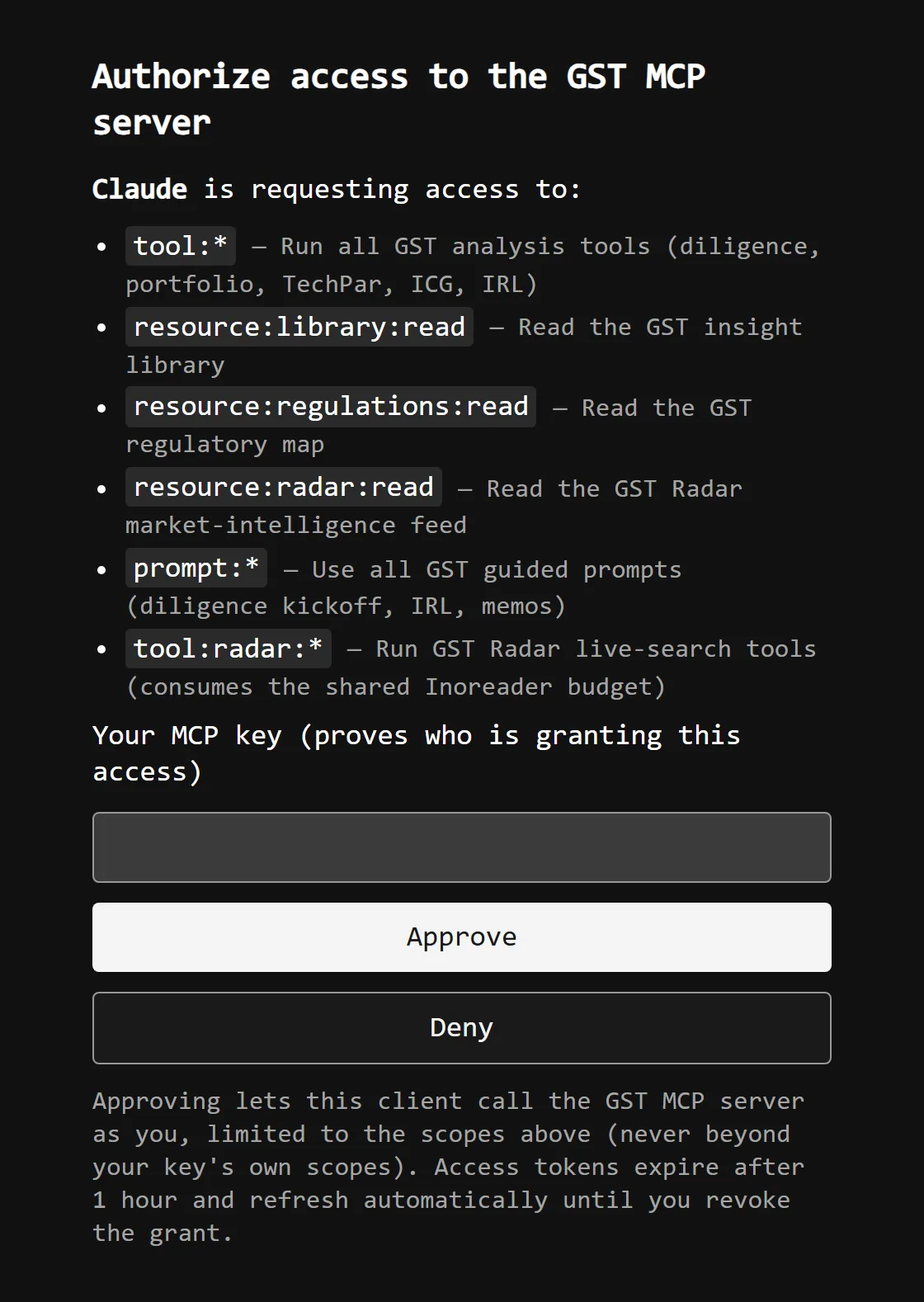
On the web, start a new conversation; no restart is needed. In Claude Desktop, quit fully first (it stays in the tray) and relaunch. The chat input's + → Connectors menu should list GST MCP with the GST tools and prompts under it.
Two checks. If both pass, the client is talking to the server and every capability resolved.
+ → Connectors shows GST MCP, toggled on and without a warning badge, as below.
Open Add from GST MCP and expect the twelve GST prompts by name, with the resource library below them.
Server-side health (dependency status, per-tool latency, request volume) is published at status.mcp.globalstrategic.tech. Check it before assuming your own config is at fault.
Neither check passing?The five failures a first connection runs into, and what each one means, are catalogued under Troubleshooting in the practitioner guide.
Three routes on from a working connector: everyday use, the wire detail, and a wider grant.
First query, prompt argument forms, and pinned resources.
Open guideTool and prompt reference, OAuth scopes, and rate limits.
Read docsAdd radar scope, raise a tier, or provision a client.
Contact GST